
%27/%3E%3Crect width=%277%27 height=%275.08%27 fill=%27%233c3b6e%27/%3E%3C/svg%3E)
 Deutsch - DE
 Español - ES
 Français - FR
 Português - PT
The #1 Affiliate Marketing Integration for Zoho CRM
Turn your Zoho CRM pipeline into an automated referral engine. Seamlessly track leads, attribute won deals to partners, and manage custom B2B commissions as leads move through your sales stages – no developer needed.
Trusted by Over 69,500+ Customers


























The Tapfiliate + Zoho CRM integration provides B2B companies, agencies, and high-ticket service providers with a robust lead attribution model. By connecting Tapfiliate to your Zoho CRM pipeline, you can track customer referrals from initial form submission all the way to closed-won status. This removes the “Sales Cycle Gap,” ensuring your partners are credited accurately for long sales cycles and high-value deals while keeping your sales pipeline perfectly synchronized.
Pros of Tapfiliate + Zoho CRM Integration:
- Automated Deal Attribution: Automatically trigger commission events when a deal status changes to “Closed-Won” in Zoho CRM.
- Full Sales Pipeline Visibility: Track multi-touch referral journeys across extended sales cycles without losing partner attribution.
- Zero-Code Workflow Setup: Connect your CRM data fields effortlessly using automated workflow builders like Zapier or Make.
- Multi-Stage Commission Rules: Set different payout amounts for lead creation, discovery calls, and final closed contracts.
View the Official CRM Integration Support Docs for step-by-step setup instructions.
Three Steps to Integrate Tapfiliate with Zoho CRM
Step 1

Connect Your Accounts
Log in to your workflow automation platform (such as Zapier or Make) and authenticate both your Tapfiliate and Zoho CRM accounts using your secure API keys.
Step 2

Define Your Triggers & Actions
Set up a workflow rule so that when a Deal status updates to “Closed-Won” in Zoho CRM, a corresponding Conversion event is instantly triggered in Tapfiliate.
Step 3

Map Deal Metadata
Map dynamic Zoho CRM fields (such as Deal Amount, Contact Email, and Deal ID) to Tapfiliate data fields to ensure automatic, precise commission calculations.
Use cases

B2B SaaS & Enterprise
How CloudScale Grew Enterprise Referrals by 40% via Zoho CRM
CloudScale struggled with long sales cycles where trial leads took months to close in Zoho CRM, causing affiliate attribution loss. By deploying automated CRM workflow tracking between Zoho CRM and Tapfiliate, they automatically awarded partner commissions the moment a deal closed.
This transparency increased partner trust and drove a 40% growth in referral-generated pipeline value within two quarters. The automated sync eliminated manual sales audits and allowed their B2B partnership team to scale their active agency partner network effortlessly.
Professional Services & Agencies
How ApexConsult Automated Referral Commissions for Closed Deals
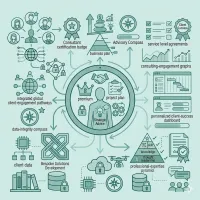
ApexConsult utilized the Zoho CRM integration to compensate industry consultants for introducing high-ticket corporate clients. By triggering Tapfiliate conversion events based on Zoho CRM stage updates, they ensured commission payouts aligned perfectly with actual client retainer payments.
This automated workflow yielded a 35% increase in qualified partner introductions in six months. The system tracked long-term negotiation pipelines seamlessly, managing payouts without requiring manual accounting review.

Real Estate & High-Ticket
How PrimeEstate Achieved a 12x ROI on B2B Partner Marketing
PrimeEstate solved attribution blind spots for high-value buyer referrals by connecting their Zoho CRM leads directly to Tapfiliate. This deep-data precision allowed them to securely share real-time deal stage progress with referring brokers via white-labeled affiliate portals.
The transparency established immense trust and led to a reported 12x ROI on their referral program. External brokers saw their lead pipelines update dynamically, inspiring them to send top-tier prospective buyers to PrimeEstate.
Questions about Zoho CRM Integration
Everything you need to know to launch and scale your B2B referral program
Can I award commissions only when a deal is closed in Zoho CRM?
Yes. You can configure your setup so that Tapfiliate only generates a commission when a deal reaches a specific pipeline stage in Zoho CRM, such as “Closed-Won” or “Invoice Paid.”